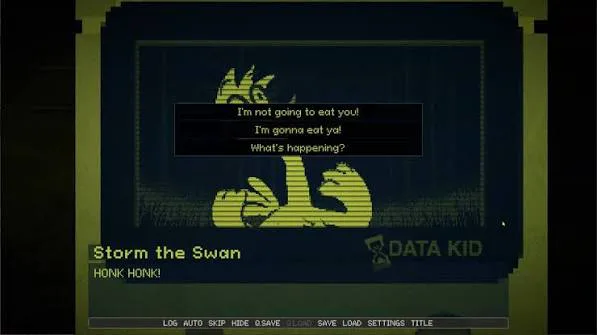
Storm the Swan
About Storm the Swan: Review, Story & Gameplay
Storm the Swan is an 8-bit point-and-click visual novel by CatTrigger, styled like a children's handheld game from an earlier era. You arrive in Hedgehog Hills, a village of cute animal characters, receive a home to customize, and meet Storm, a swan who is frightened by something in the woods. The cheerful framing gradually gives way to stranger events in the game and around its fictional world. Players searching for Storm the Swan controls, a Hedgehog Hills walkthrough, or an explanation of the game's story should approach it as a narrative adventure, not a reflex-based action game.
Explore Hedgehog Hills at Your Own Pace
Use the mouse to point at places and objects, then click to move or interact. Visit the locations that become available, speak with the animal characters, and look at details in each scene. The house-customization feature is part of the playful surface; the larger story grows through the people you meet and the changes you notice around the village.
Follow Storm's Story Carefully
Storm's warnings about the woods sound like another cartoon adventure at first. Keep following the dialogue and notice when the tone or presentation changes. The contrast between cute pixel art and unsettling story turns is intentional, so early scenes help establish the expectations the game later challenges.
How to Approach a First Run
Click through dialogue at a pace that lets you read it, and explore visible interactions before leaving an area. If a character mentions a place or object, remember it and check whether a new option has appeared. When you replay, try a different response or route only after you have seen how the first path develops; that makes the story's surprises easier to follow.
A Retro Story with a Darker Edge
The Game Boy-inspired presentation and animal cast are not a promise of a purely cheerful experience. Storm the Swan combines cozy exploration, a fictional game-within-a-game frame, and a creeping horror mood. Go in for the retro style, but give the story time to show what is happening beneath it.
How to Play Storm the Swan
How to Play:
- Use the mouse to point and click through Hedgehog Hills and its locations.
- Click characters and visible objects to move, interact, or open dialogue.
- Read Storm's conversations and remember places or details mentioned by other characters.
- Explore available scenes and house options before moving on.
- If progress pauses, check the current area again for a newly available interaction.
- Let the story unfold before replaying with different choices or routes.